免责声明:试了可能有 不试毛都没有
第一步:登录工单直达链接
首先,打开 giffgaff 的客服工单系统。为了避免中途跳转登录后找不到页面,请直接点击下方带有重定向参数的专属链接:
(提示:点击后会先提示登录您的 giffgaff 账号,登录成功后会自动跳转到提问反馈页面)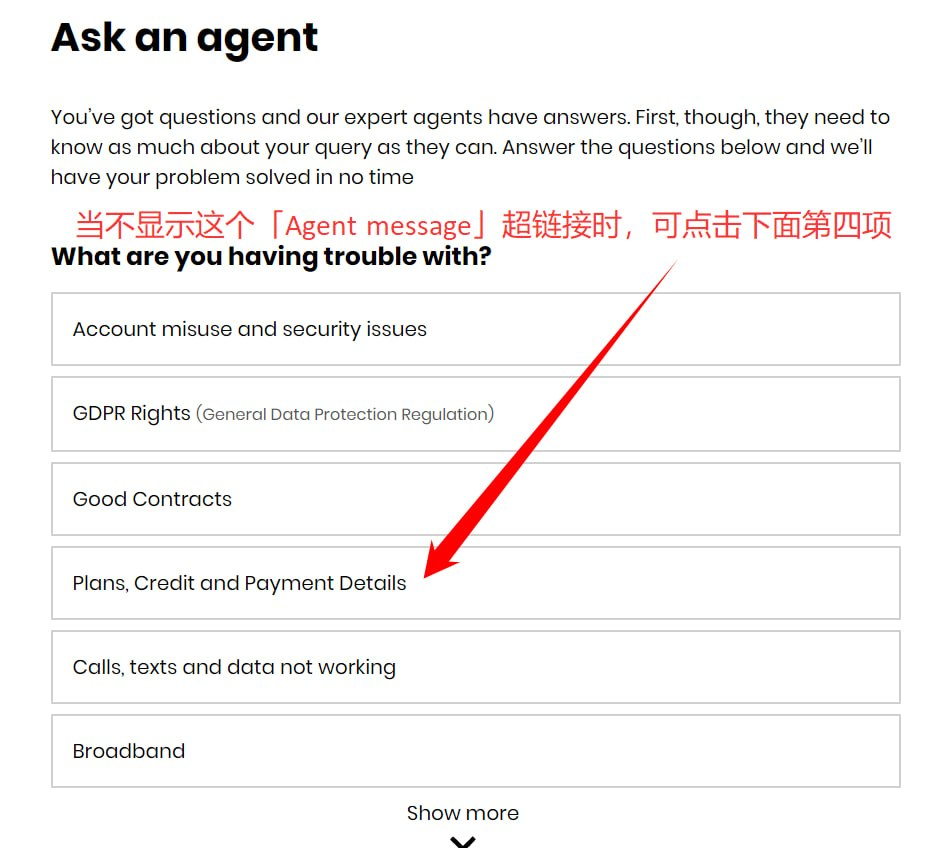
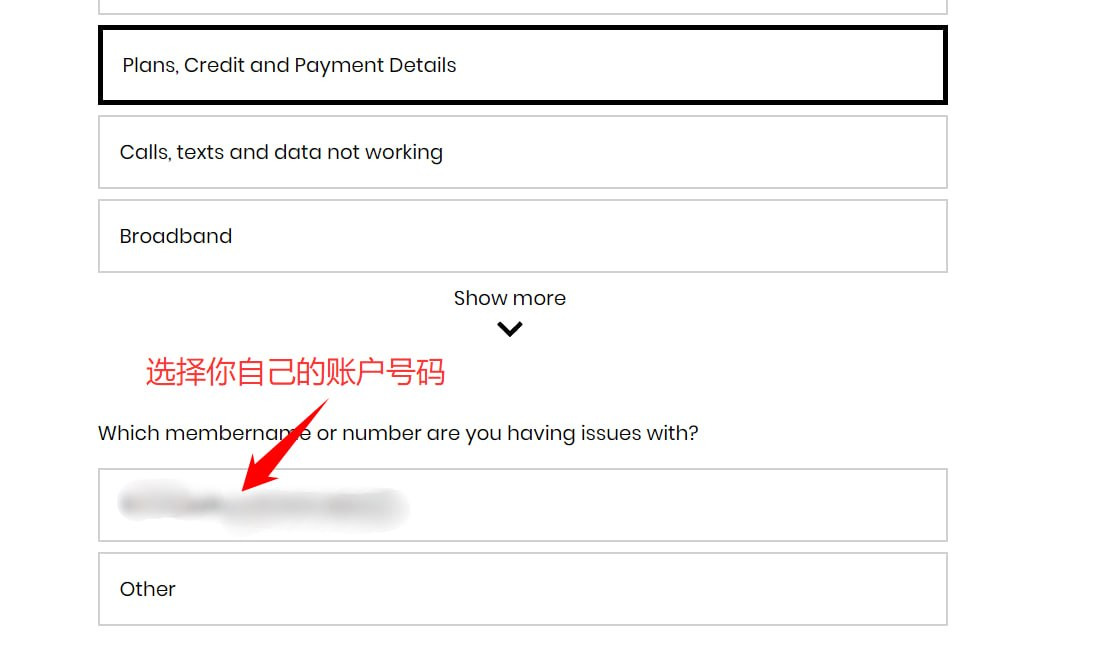
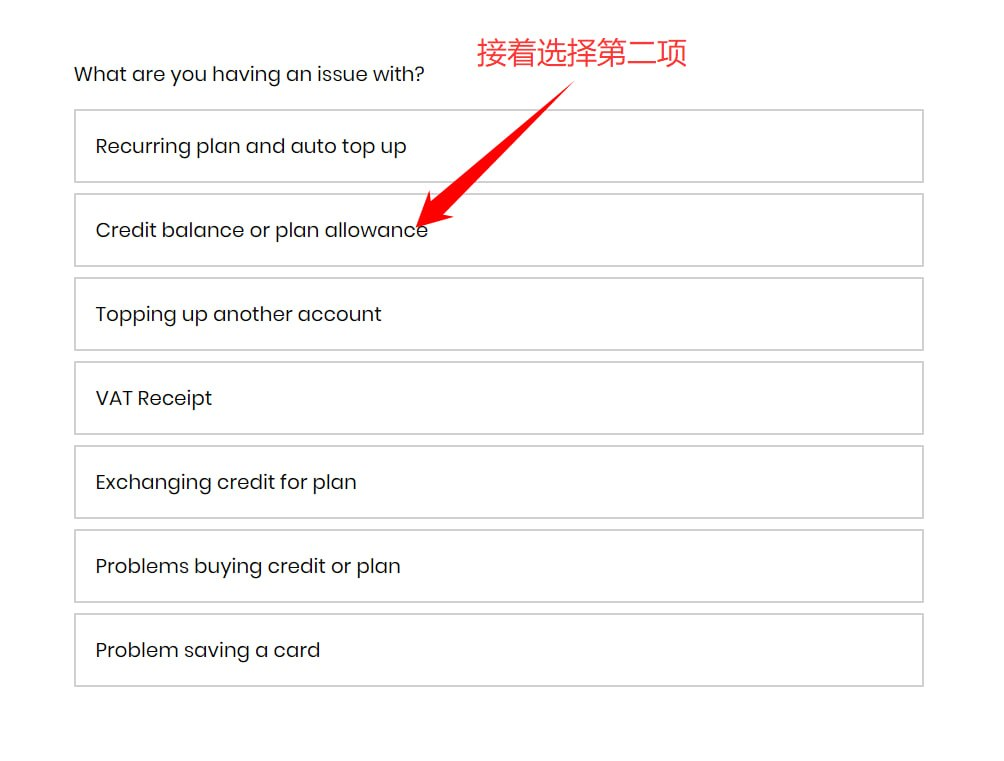
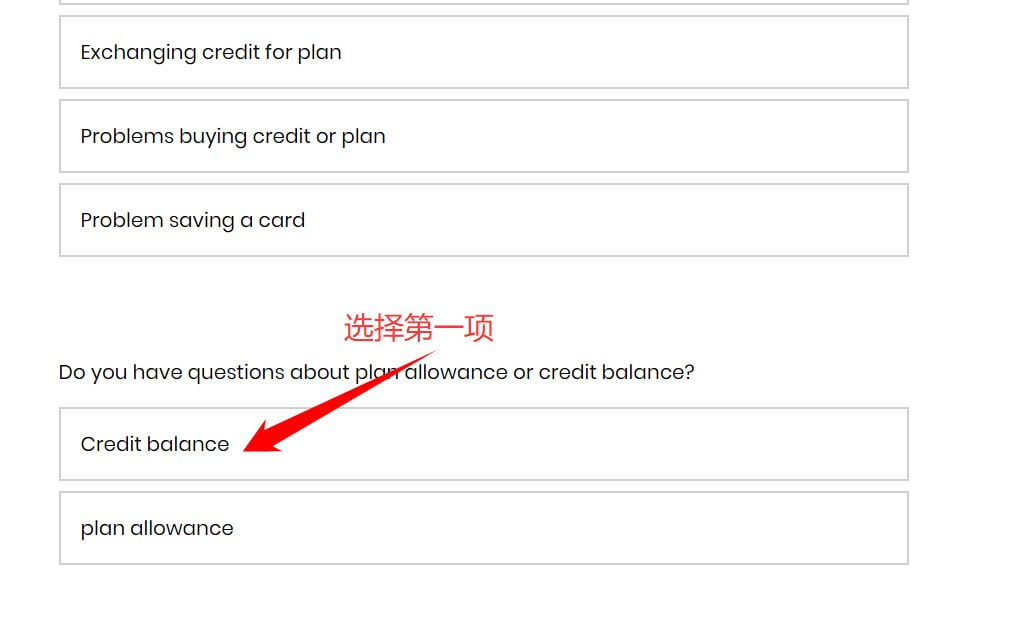
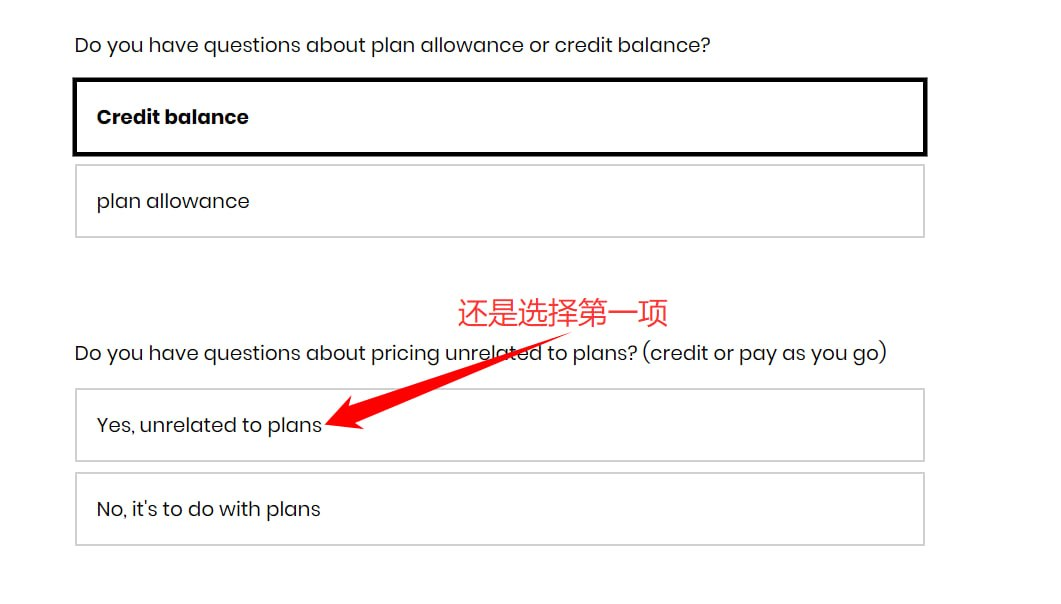
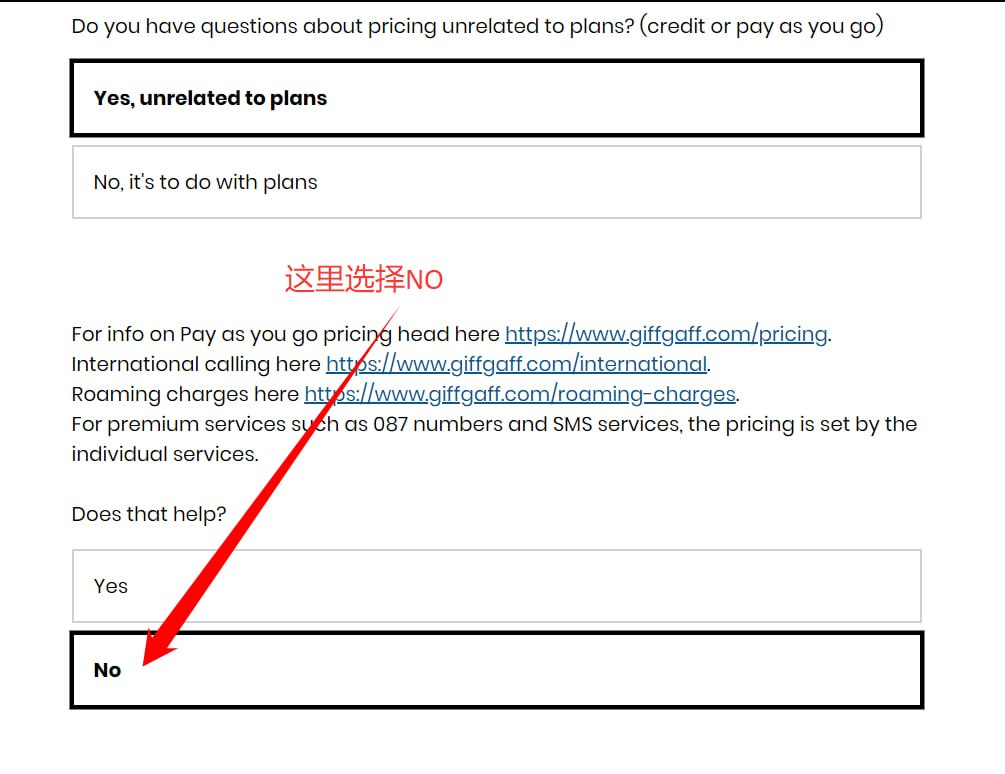
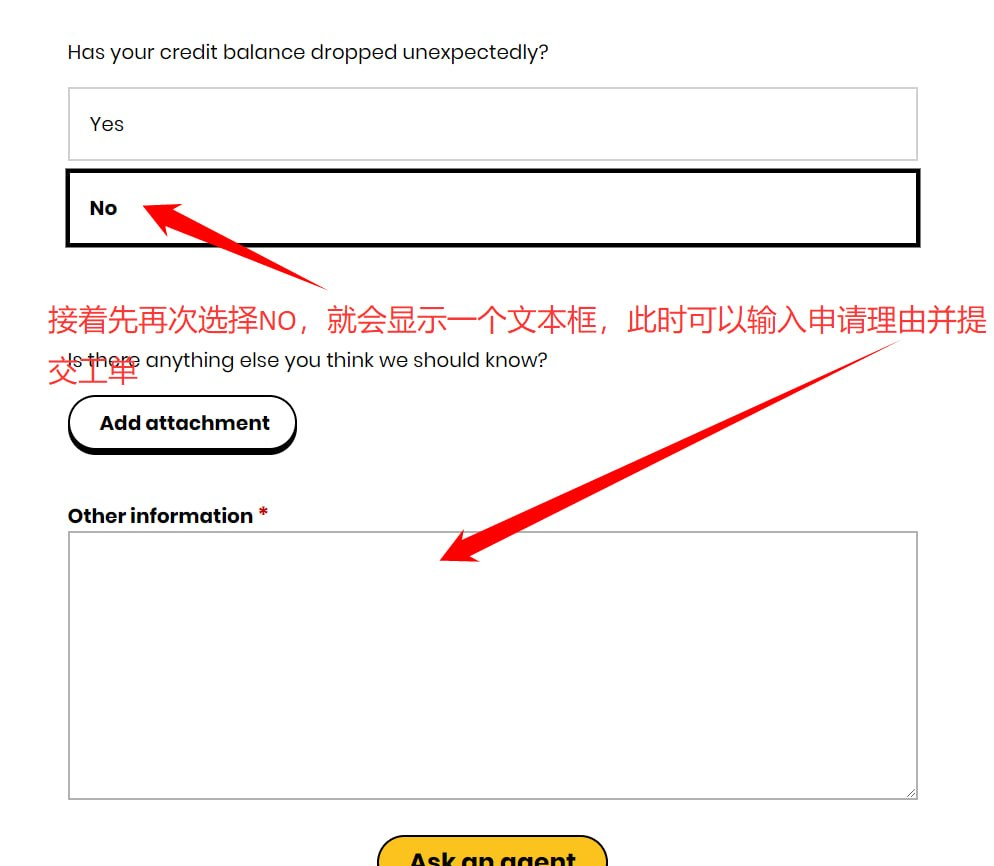
第二步:提交申诉话术
在页面的文本框中,输入以下为您准备好的英文申诉信。这段话语气客气、礼貌,能大大提高客服处理的效率:
或者自行让AI帮你写,可以提高通过率,不要直接复制粘贴
Hello,
Sorry to trouble you. I recently topped up £10 but haven’t received the £5 bonus credit yet. Could you kindly help me look into my account to see if this offer applies to me? I might have misunderstood the requirements, so I would truly appreciate your help in clarifying this.
Thank you so much for your time and assistance!
第三步:等待客服回复
提交工单后,giffgaff 客服通常会在 24 小时内 进行处理。
如何查看回复: 登录 giffgaff 官网或 App,进入 My giffgaff -> Messages from Agents(客服信息)查看处理进度和结果。
只要您的卡确实符合首充赠送条件,客服查实后都会直接将 5 英镑打入您的账户余额。